
Appearance
Connect AI Agents
DocuBench exposes each running workbench as an MCP server. AI clients connect to that server and receive browser tools for the workbench.
Each client setup guide uses the same values from DocuBench:
- MCP endpoint URL, for example
http://localhost:8286/mcp/demo/ - Bearer token
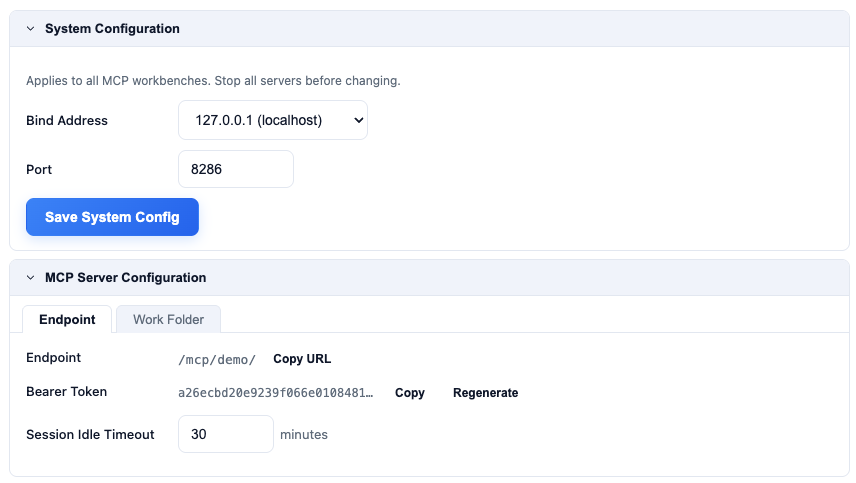
Use the "Copy URL" and "Copy" buttons to copy these values into your MCP server configuration.
General Setup Pattern
- In your AI agent, add a new MCP server and select the "Streamable HTTP" type.
- Copy the workbench MCP endpoint URL and set it as the server URL.
- Copy the bearer token.
- Set the
Authorizationheader toBearer <token>. - Restart or refresh the AI client session.
- Confirm the DocuBench tools are listed.
Available Guides
Connection Notes
The endpoint is local to your machine. Keep DocuBench running while your AI client is connected.
If you regenerate the workbench token, update every AI client that uses that workbench.